Today Blogging is the best way to share ideas online. It provides you world-wide exposure and money making opportunity. The best way to Make Money Online is Blogging. There are certain ways to monetize your blog. CPC, Paid Review, Affiliate Marketing, Direct Ad, Product Selling are a few to be listed. The best and easiest method for newbie bloggers is CPC Advertising. And, undoubtedly Google Adsense is the big giant in this field. Getting Adsense account approved is like dream coming true for a blogger. I am extremely pleased to inform you all that Amazing Hacking Tricks has a completely approved Google Adsense account. Many-a-people asked me how did I get my adsense account approved for a hacking blog. So, here I am going to share a few factors which will help you to get your adsense account approved.
1. Domain Name
Although, blogger automatically provides a blogspot.com sub-domain to every blogger. Still, it will be better to purchase a new TLD (Top Level Domain) like .com, .net, .org to get Adsense approval. You can purchase a new domain name on Godaddy for Rs 99 only. A Top Level Domain can surely help you to get Adsense approved and it will also help you to rank higher in Search Engines.
2. Time
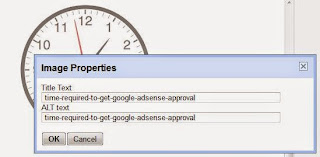
Time is an important factor to be considered for Adsense approval. Generally, Blogger doesn't permit bloggers to apply for Adsense before 6 months. This time restriction is strictly applied on Indian & Pakistani bloggers. However, in my case I applied for adsense only with 5 days old domain name. But, let me also mention that my blog is now almost 1 year old with www.hackwithsanjeet.blogspot.com domain name. So, it will be better if you wait for 6 months or purchase a TLD to improve your chances of Adsense approval.
3. Image Setting
This is the easy yet important part which many bloggers tend to ignore. You need to add "alt" tag to your images. To do so, upload the image first. Then click on the image to select it. Now, click on "Properties" option and add "alt title" and "alt text" to your image. It is necessary to add alt tag to your images as it describes the nature of the image.
4. No Illegal and Copied Content
It is necessary to write and publish genuine content of your own on the blog otherwise there are no chances of Adsense getting approved. I have written all content myself and never copied it from another blog. Also, Google strictly hates Pornographic Content, Cracking Software and Gambling Tools. So, never ever post content related to these topics.
5. All Necessary Pages
It will be better if you upload all required pages like About Us, Privacy Policy, Advertise With Us, Contact Us. These pages are very important as you too can realize it. So, it is very important if you upload and update all these pages.
A Personal Message to You
It is nice to see that you have gone through "How Did I Get Google Adsense Approval On My Hacking Blog With 5 Days Old Domain Name". I hope that you have enjoyed the article. However, if you want me to deliver more tutorials and articles then please share my post. You can use Social Sharing Widget provided at the end of every post.
Thank you. Have a nice day ahead!!!
Hello Amazing Hacking Tricks visitors!
After a long time, I am back here to share some nice hacking tricks with you all. I hope you all visit my blog regularly and learn a lot from here. So, I would like to say Thanks to all my loyal readers. And for such loyal readers of Tech Geek blog, here I am going to provide a Giveaway.
Rules of Giveaway-
1. To take part in the Giveaway, you need to visit Amazing Hacking Tricks regularly.
2. You have to post comment on the blog.
3. You have to post comment with your Google Account only. Comment(s) posted with your own name or Anonymous will not be counted.
4. Comment should be relevant to the article.
5. Avoid Spamming. Don't post the link of your own site or any other site in comment box.
Duration of the Giveaway- 13th October 2014 to 01st November 2014.
Result Declaration-
Result will be declared on this blog. Top 5 commentators will get the prize.
Prize
Here comes the most interesting part i.e. the prize. So, the winner will get an invitation to join Ello. As you know that, Ello is a new and emerging Social Networking site. It is also completely Ad free and it does not share your private information to any third company. So, getting invitation to join Ello is the Giveaway for you all.
Why are you waiting? What are you waiting for? Go, Browse the blog, Open the article(s) and Post the comment.
HURRY!!! You don't have much time. Start Commenting.
Best Wishes!!
This Giveaway is Closed now and there is no winner of the Giveaway.
If you are the regular visitor of our blog, then you have noticed that some days ago, there were no post on my blog. And, if you follow me on Social Media, then certainly you know the reason the reason behind it. Actually, I had deleted all of my posts mistakenly which I had written in previous 2 months. It was a huge set back for me. But, ultimately I worked hard and recovered all the post. How? Let me explain
Step 1
At first, go to google.com and try to find your deleted post. For example, if I have deleted the post 'Hide Yourself on Internet' then I can search 'Tech Geek Hide Yourself on Internet' on Google to find my post.
Step 2
Once you found your post in Google Search Result, then click on down arrow button as shown in picture. It will give you option to open Cached copy of that webpage.
Step 3
A Cached page is actually, a snapshot of a website, saved at a particular time, by a Search Engine. So, if you successfully view the snapshot of your deleted post, then you can easily recover it. So, click on Cached option to open it.
Step 4
A new tab will be opened now containing a message about the cached page. It will describe the date and time when the snapshot was taken.
Step 5
Now, scroll down through the page. You will see your deleted post here with all images.
Step 6
From here, you can simply copy your deleted post as well as images and create a new post for your your readers.
But, I suggest you to take a backup of your all post. To do so, open your blogger account. Click on Post and open your article (post). Now, set edit mode to HTML and copy the whole code. Paste the code into a new Notepad document and save it in your system.
A personal message to You
It is nice to see that you have gone through "Case Study: How I Recovered Deleted Post on my Blog" completely. I hope you have enjoyed the article. However, if you want me to deliver more interesting hacking tutorials and article then please share my post(s). You can use Social Sharing Widget provided at the end of every post. After all, Sharing is Caring!!!
Thank you. Have a nice day ahead!!!

I have decided to write an article about my Blogging status to make you all aware of our journey. And, today I am going to show you the monthly report of MAY 2014.
Well, I have launched the blog on 26th April 2014 with a few articles and a simple blogger template. I used Facebook a lot to promote it. And, surprisingly I got a huge number of Page views which was totally beyond my expectation.
If I take a look at my Blog's traffic status, I can easily find that I am getting most of the visitors from Indian Sub-continent (India, Pakistan, Bangladesh and Sri Lanka). U.S.A., U.K., Indonesia, Trinidad and Tobago, Malaysia, Philippines, Kenya, China, South Africa and Italy are some other countries from where I am getting Juicy Traffic! In the first month of launch, we have 5000 Page views which is pretty nice. If you are a Blogger or Web Developer then certainly you will be aware of Alexa Rank. Alexa is an Amazon Company's divison which provides ranking to the websites available on the Internet.
Principal of Alexa Ranking system is simple-
The lower your Alexa rank is, the popular your site is. So, at the very beginning, our Alexa rank was near abut 1,90,000. It could be said as poor rank. After some days, It was 1,39,86,852. It just increased or decreased slightly above or down. But, in last weekends of the month, we noticed a tremendous increase in our Alexa Rank and it was 83,63,511. But, our success story does not just ends here. After a few days, once again our Alexa rank boosted to nearly 63,00,000. And at the time of writing this article, our Alexa rank is 63,44,614 .
When the matter comes to earn money using the blog, I just want to say that I have not get success in my 1st month. I have tried BidVertiser ad for some days but finally removed them because they were none of my use. Now, I am thinking of earn money by writing Sponsored Reviews and providing Grey Hat Hacking Course. You will see some Sponsored Reviews on my blog in near future.
At last, we can conclude that the first month of Amazing Hacking Tricks can be said a successful one. And, It all happened due to your support. We have good page views, professional looking template, fine Alexa rank, quality post and intelligent audiences. So, keep visiting, start learning, do hacking and Enjoy.
A personal message to You
It is nice to see that you have gone through "My Monthly Blogging Report" completely. I hope you have enjoyed the article. However, if you want me to deliver more interesting hacking tutorials and article then please share my post(s). You can use Social Sharing Widget provided at the end of every post. After all, Sharing is Caring!!!
Thank you. Have a nice day ahead!!!