Showing posts with label Internet. Show all posts

Latest Funny #AchhaKiya Image Trolls Collection

Obviously, Online Shopping is the next big thing in India. Today Online Shopping is in trend and the market is rapidly growing. Amazon, Flipkart, Snapdeal, Infibeam, Shopclues, Ebay, Myntra, Book My Offer are a few shopping sites having large share of Indian Online Shopping bazar. But, the competition in the market is breakneck and every online shopping company wants to defeat it's counterpart. And, the ultimate winner of this cat-mouse chasing game is we- the customers. To attract more and more customers, these shopping sites are providing attractive offers which tempt the users easily. But, apart of it , these companies sometimes do amazing things which make us simply LOL!!! Recent example is #Achha Kiya war among various shopping site.


latest-achha-kiya-troll-image-snapdeal-flipkart-amazon-valuepick-olx

Actually, this #Achha Kiya Nahi Kharida and #Ab Har Wish Hogi Poori campaign was originally launched by Flipkart. But, this is great Indian Shopping Market. With too much things on stake and too much risk to loose a potential customer base, e-commerce companies are leaving no stone unturned to get ahead in competition. So, as soon as Flipkart launched it's campaign, another competitor Snapdeal trolled it with creative advertising campaign. Snapdeal answered filpkart by using "Achha Kiya bata diya. #YahanSeKharido". This was the genesis of an epic war. OLX (biggest online platform to sell and purchase second-hand product) entered into the war with "Khareedne se Pehle Purana Becha Kya? #Bechde". How could you expect Amazon not to enter into the battle. So, here amazon goes with the slogan- "Kahi Nahi Mila? #YahaDekhLo".
Meanwhile, Venuepick- a startup providing services related to party, function, marriage arrangement also indulged in it with "Dekh liya? Khareed liya? Bech Liya? Party kab kiya..? #VenuePickKaro".
Well, actually this was not the end of it. It was the beginning of a new series of such images. Here, I have listed out a few funny images which falls in the same category.


kharidna-hai-shout-me-loud
www.facebook.com/shoutharsh
Also Check: Best Free Android Keylogger App to Hack Android Smartphone

kiu-nhi-kharida-paise-nahi-the
www.facebook.com/adarsh.sojitra.009
Also Check: Easiest Trick to Hack a Facebook Account

flipkart-se-kamao-how-to-bunny
www.facebook.com/anneswan.adhwaryu.being.awesome
Also Check: LOIC Attack Method to perform a Successful DDoS Attack

review-yaha-padho-scroll-story
www.facebook.com/abhisek.padhi.0
Also Check: Android Hacking Tricks

kharidna-hai-paise-nahi-hack-kar-lo-amazing-hacking-tricks
www.facebook.com/Sanjeetkashyap86

A personal message to You

It is nice to see that you have gone through Latest funny #AchhaKiya meme trolls collection. I hope that you have enjoyed it. However, if you want me to deliver more hacking articles and tutorials then please share my post. You can use Social Sharing Widget provided at the end of every post. After all, Sharing is Caring!!!
Thank you. Have a nice day ahead!!!

Milestones Of Computer World

If you are able to read this post than it means that probably you have a Desktop/Laptop/Tablet/Cell Phone, a working Internet connection and a Facebook account (chances are that you have come across my post in any Facebook Group). So, you can't deny the fact that Computer & Internet are playing a great role in your life. They are affecting you in many ways as you explore new stuffs, connect with friends, increase your business and entertain yourself. Today, one definition of being modern is that you are smart enough to handle smart phone as well as a Facebook/Whats app account. Am I right? Yes, I am.
But, the matter-of-fact is that the journey of computing- from Abacus to latest iPhone is not that easy at all. It took hundreds of year, hard labor, brilliant brain, innovative idea(s) and passion to develop computing. So, today I am going to share 10 milestones of Computer World. I have compiled the list in chronological order, not on the basis of importance.


1. Microsoft: Professionals' First Choice


Microsoft-the-best-computer-company

Microsoft Corporation (popularly known as Microsoft) is a big player of Computer Industry. It is a major computer hardware and software developer company. Founded by Bill Gates on 4th April 1975, Microsoft is best known for Windows operating system, Microsoft Office, Bing Search Engine and Outlook.

2. Apple: Royal Computer Company


Apple-Steve-Jobs
Apple is yet another Technology company famous for deleiver quality products and services. Apple Mac, iPod, iPad, iPhone, Apple TV, iOS, iTune- overall Apple brand provides you a new and amazing experience. Apple was founded by Steve Jobs and Steve Wozniak on 1st April 1976 in a garage.

3. Linux: Open Source Operating System


Linux-open-source-operating-system

Linux is a free Operating System related to Unix OS family. Initially released in 1991, Linux is a completely free as well as Open Source operating system. It was launched to challenge monopoly of Windows in O.S. market. There are so many Linux distribution available on Internet to download yet Kali Linux is most suitable distro for hackers.

4. Amazon: King Of E-Commerce


Amazon-king-of-e-commerce
Amazon is a e-commerce company founded by Jeff Bezos on 5th July 1994. It was started as an online bookstore but now it sells a variety of products including DVD, CDs, Software, Video, Games, Electronics, Apparel, Furniture, Toys in various countries. With an alexa rank of 8, Amazon is top e-commerce site. Yet, it is getting challenge from Snapdeal and Flipkart in India which resulted in recent E-Commerce war in India.

5. Google: Search Engine Giant


Search-engine-giant

If I say that Google is the synonym of Internet than you will probably trust me. Google re-defined the Internet in a new way. Founded by Larry Page and Sergey Brin on 4th September 1998, Google offers a variety of service like Search Engine, Gmail, Google Plus, Google Map, You Tube, Google Drive, Android O.S, Google Chrome, Blogger, Google Adsense and many more. Google is world's best Internet company with Alexa rank 1 due to all wonderful service it provides.

6. Blogging: Express Yourself On Web


Express-yourself-on-web

Honestly I would like to commit that today Blogging is the best way to express yourself and in a country like India, it is a medium to connect with mass audiences. The best blogging platform is Blogger- developed by Pyra Labs on 23rd August 1999 and further bought by Google in 2003. Blogger provides a free blogspot.com subdomain, unlimited bandwidth and storage space. Blogger blogs are hosted on Google's own server and it is almost impossible to hack them.

7. G.T.A. Series: Ultimate Entertainment Package


Ultimate Entertainment Package
You might wonder why I have included a game in this list. But, believe me, G.T.A. Series games are worthy of holding a place in the list. Developed by Rockstar Games in 2001, the game is very popular among teenager computer users. The game is based on Liberty City, Vice City & San Andreas which are stand-ins for New York , Miami and Southern California, respectively. The game falls in action-adventure category and lots of gun, weapon, tank, bike, car, other vehicles, dance club, helicopter, ambulance, sea beach, hotel make it very interesting to play.

8. Mozilla Firefox: Free & Open Source Web Browser


Free-and-open-source-web-browser
Once upon a time, Internet Explorer and Netscape Navigator were only web browser available for Internet users. However, on 23rd September 2002, Mozilla Foundation launched a new, free and Open Source Web Browser- Mozilla Firefox. Attractive design, stable performance, availability of plug-in and user friendly interface make Firefox so popular.

9. Facebook: Connect With Friends


connect-with-friends

Well, it is useless to introduce Facebook to you. Facebook is world's No.1 Social Networking site founded by Mark Zuckerberg on 4th February 2004. Today, it is the best medium to connect with friends and family as well as to discover new friends. It's motto is- Giving people the power to share and make the world more open and connected.

10. Play Store: Discover App And Games


Discover-apps-and-games

Google Play Store is a game and app downloading store started on 22nd October 2008. Play Store is available only for Android users. With 1.3+ million apps, it provides a lot of choices to users to download.
So, here my list ends. If you are not agree with my list then you can compile your own list and make me aware of it in comment box.

 
A personal message to You

 
It is nice to see that you have gone through "Milestones of Computer World" completely. I hope you have enjoyed the article. However, if you want me to deliver more interesting hacking tutorials and article then please share my post(s). You can use Social Sharing Widget provided at the end of every post. After all, Sharing is Caring!!!
Thank you. Have a nice day ahead!!!

Hide Yourself on Internet

hide-yourself-on-internet


Whenever you browse Internet, you perform many tasks like Searching, Downloading, Visiting different sites, Managing Online Accounts (like Gmail, Facebook, Twitter, You Tube etc.), Watching Videos and Viewing Maps. But, Do you know that someone else also track your activities in background? OK, let me ask one thing- What is the World's best Search Engine? Absolutely, it is Google. But Google company does not only provide you option to search. Google has many services like Gmail, Google Plus, You Tube, Google Map, Google Drive, Google Chrome, Blogger, Google Ad Sense, Google Ad Word, Google Play Store, Android Operating System etc. Almost all of us use one or more Google Service. And, Google tracks down your each and every activity on web. According to Google's new Privacy Policy, it can provide your all information like Searched Keywords, Private Emails, Videos Viewed, your Exact Location (if your device supports GPS) and IP Address to any third-party. It means that now Government or any other powerful Organizations can watch and track you. It is surely the violation of Right to Privacy.

Now, the question arises that Can I avoid Google to track my web activity? Well. there is nothing impossible in the world and you can avoid Google to do so. There are several ways to conceal your Identity on Internet. These are:-


Proxy Server-

                                  proxy-server  

It is the easiest way to hide your identity on Internet. A proxy server is a server or software which acts as an intermediary between an user and the Internet. To know how proxy server works, check my article "Introduction to Internet". Normally, when you open any website your computer sends a request to website in background to open the website. And in this way the website knows your computer's Identity or IP Address.

But, if you use a proxy server to send the request to a website, then the website will think that the proxy server is connecting to it, but in reality it is you who is using a proxy server to connect to website anonymously.

So, as it is clear from above illustration that Proxy Server can hide your identity on Internet. You can easily get thousands of Proxy Server on Internet and use them.


VPN-

                                     vpn 

VPN stands for Virtual Private Network. It can be used to be anonymous online. If you use Android cell phone or tablet then VPN is the best choice to hide yourself on Internet. I suggest you to download Hotspot Shield VPN (http://www.hotspotshield.com). It is available free of cost on Google Play store. It is easy to configure and use Hotspot Shield. You just need to touch the screen once and be Anonymous!


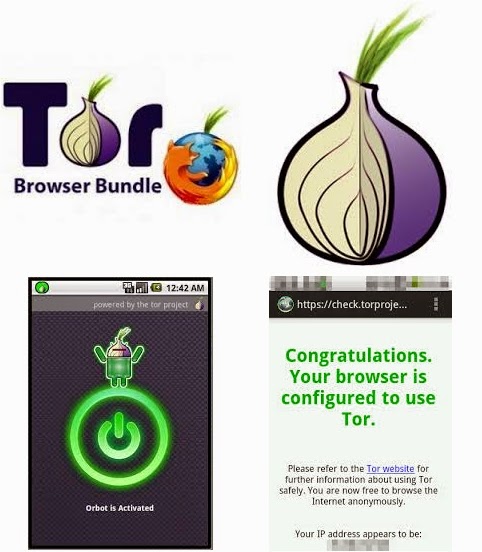
TOR-
                                                 tor 


TOR stands for Onion Router. It is one of the best anonymity, privacy and unblocking tool available on the Internet. It is a freeware and you can download it from http://www.torproject.org. Once downloaded, install the TOR Bundle in your system, configure it and now you are ready to be anonymous.
You can also use TOR on your Android device. To do so, you can download TOR Bundle for Android (which is also known as Orbot) from official website of TOR or Google Play Store. You also need to download a compatible browser which can work with Orbot. I suggest you to download Orweb. Once downloaded, install both Orweb and Orbot in your phone. Configure Orbot with single touch and open Orweb. Use Orweb to browse Internet and be undetectable.


IP Changer Software-


                              ip-changer-software 

Best IP Changer Softwares-
 

S.No./
Name of the Software/
Website/
Price

1.
Anonymizer
http://www.anonymizer.ru
Free

2.
Ultrasurf
http://www.ultrasurf.us/index.html
Free

3.
Your Freedom
http://www.your-freedom.net
Free

4.
Freegate
http://www.dit-inc.us/freegate
Free (for limited time)

5.
Dyna Web
Free

6.
Hide My IP
http://www.hide-my-ip.com
Free (for 14 days)

7.
JonDo IP Changer
http://www.anonymous-proxy-servers.net/en/jondo.html
Free

8.
Green Simurgh
http://www.simurghesabz.net
Free

9.
Alkasir
http://www.alkasair.com
Free

10.
Easy Hide IP
http://www.easy-hide-ip.com
Free (for 3 days)

11.
Mask Surf Pro
http://www.thanksoft.com
Free

12.
Quick Hide IP Platinum
http://www.quick-hide-ip.com
Free (for 3 days)

13.
Hotspot Shield (VPN)
http://www.hotspotshield.com
Free

14.
Hide My Ass (VPN)
http://www.hidemyass.com
$10/month

A personal message to You
 
It is nice to see that you have gone through "Hide Yourself On Internet" completely. I hope you have enjoyed the article. However, if you want me to deliver more interesting hacking tutorials and article then please share my post(s). You can use Social Sharing Widget provided at the end of every post. After all, Sharing is Caring!!!
Thank you. Have a nice day ahead!!!

Story of Gs- 1G to 4G (LTE)

1g-2g-3g-4g-in-india


Cell phones and Internet are now a part of our life. We can not imagine the life today without cell phone and internet. As cell phones and internet came into trend, some new tech-related words also came into trend. We often hear and frequently use the words like 2G, 3G, 4G, NFC etc. But, have you ever thought what does these words mean? Well, let me explain in detail.


1G-

GSM (Global System for Mobile communication) service started in decades of 1980. Since, it was first technique of GSM mobile service so it is known as 1G. This technique was used only for Calling and Messaging service.


2G-

After 10 years, there came a new turn in mobile technique. In decades of 1990, second version of GSM mobile service was developed. It is known as 2G. 2G technique made it possible to browse Internet on mobile devices, which is sometimes also known as WAP. It is possible to exchange data using 2G technique.

This technique was modified time-to-time. And 2.5G network is known as GPRS while 2.75G network is known as EDGE. Today 80% mobile customer of world (including me!!!) use 2G network.


3G-

Once again, after 10 years, In 2000 GSM developed third version of network- 3G. It makes faster data exchange possible. According to new standards of 3G, you can transfer data at the rate of 42 mb/s.


4G-


In 2010, GSM introduced 4th generation technique which is known as 4G. 4G consists of two type-

(a.) Wi-max

(b.) LTE

But, Europian countries, India and China are using 4G (LTE) technique. LTE stands for Long Term Evolution. It is a wireless broadband technique which works on mobile network.


4G Service Providers in India
S.No.Service ProviderTelecom Circle
1.Reliance GeoAll 22 Telecom Circle
2.AirtelMaharastra, Punjab, Karnataka, Kolkata, Delhi, Punjab, Kerala and Hariyana
3.AircelA.P, Tamilnadu, West Bengal, Bihar, Oddisa, Assam, North-East, J&K
4.TikonaHimachal Pradesh, Rajasthan, U.P, Gujarat
 

A personal message to You 

It is nice to see that you have gone through "Post Facebook Status in Future" completely. I hope you have enjoyed the article. However, if you want me to deliver more interesting hacking tutorials and article then please share my post(s). You can use Social Sharing Widget provided at the end of every post. After all, Sharing is Caring!!!
Thank you. Have a nice day ahead!!!!

Send Email in Mission Impossible Way

send-self-destructive-email-with-oneshar 
If you are a fan of Hollywood movies (like me!) then chances are that you have gone through Mission Impossible movie series. The movie is based on secret agent Ethan Hunt (Tom Cruise) who works for IMF. The movie is widely appreciated by audiences for use of latest gadgets and advanced technology. One such technology is to send and receive message which becomes self-destruct. But, Do you know that you too can send such messages to your Friends, Collague and Relatives. Well, there are many tools available with which you can send self-destructive email. One such tool is ONESHAR.

How it works?

1. Go to http://www.oneshar.es

2. Click on the option "Create One Now" on the home page.

3. A new page will be opened. Here, enter a message which you want to encrypt. Select the time period after which message will be self-destructed if not viewed by the receiver.

4. Click on the option "Create Link".

5. You will be moved to a new page where you will be asked to copy the URL provided in box. Copy the URL and you have almost done it.

6. Now, open your email account. Click on Compose. Fill up the columns like To, Subject, CC, BCC etc. In Message column simply paste the URL which you copied in step 5 and send the email.

7. When your friend will open the email and click on the link provided by you, he/she will be redirected to your message. After reading the message once, it will be self-destructed and no one can access it again.

And if you use Android or Apple smartphone then you can also download the app in your phone and send self-destructive message.

A personal message to You
 

It is nice to see that you have gone through "Send Email in Mission Impossible" completely. I hope you have enjoyed the article. However, if you want me to deliver more interesting hacking tutorials and article then please share my post(s). You can use Social Sharing Widget provided at the end of every post. After all, Sharing is Caring!!!
Thank you. Have a nice day ahead!!!

Introduction to Email


introduction-to-email  
Electronic mail (in short e-mail) is a method to exchange digital information from one person to other. It was developed by Ray Tomlinson in 1971. Now, e-mail is used widely to share information on Internet. It has almost replaced the old and traditional mail system. And today it is used by almost all companies, schools, colleges and organization.
  
How it Works?
  
All e-mail communication on the Internet is governed by rules and regulations laid down by two different protocols. These are:- 1. SMTP (Simple Mail Transfer Protocol) 2. POP (Post Office Protocol) The SMTP protocol is used to send e-mails, while the POP protocol is used to receive them. An e-mail message reaches to its destination as follows- Sender Outbox < Source Mail Server < Interim Mail Servers < Destination Mail Server < Destination Inbox. Thats how a simple e-mail system works. Some famous e-mail service provider companies are Gmail, Yahoo mail, Rediff mail.

A personal message to You 

It is nice to see that you have gone through "Introduction to Email" completely. I hope you have enjoyed the article. However, if you want me to deliver more interesting hacking tutorials and article then please share my post(s). You can use Social Sharing Widget provided at the end of every post. After all, Sharing is Caring!!!
Thank you. Have a nice day ahead!!!

Basics of Internet

basics-of-internet 
Here are some basic terms related to Internet. If you want to be a Hacker or protect yourself from Hacker, then surely you should go through it.

1. Network:-

It is a group of two or more computer systems which are linked together.


2. Internet:-
 

It is a system of globally interconnected networks. It is a network of networks.

3. E-mail:-

It is a method to exchange digital information from one person to other. It works on SMTP and POP protocol. SMTP stands for Simple Mail Transfer Protocol while POP stands for Post Office Protocol.


4. lP Address:-

It stands for Internet Protocol Address. It is basically a computer's identity on the Internet. A typical IP address looks like 127.0.0.1


Introduction to Internet

 introduction-to-internet
Internet is the greatest invention of 21st century. Today, we can not imagine the world without Internet. Internet is a system of globally interconnected computer networks i.e. it is the network of networks. Internet is not just an invention, it is a revolution. Today, people can share files, data, ideas, innovations through Internet. Even people from North Pole can connect with people of South Pole using Internet !!! Internet turned the World into a Global Village.

Extracts of origin of Internet can be traced back in the 1960s. The first large area network was ARPANET, created by the United States Defense Advanced Research Project Agency. After that, in the early 1980s, a new project named NSFNET was introduced. Commercial Internet Service Providers (ISPs) began to emerge in late 1980s.

Since the mid-1990s, the Internet has had a revolutionary impact on culture and commerce, including the rise of Near-Instant communication by e-mail, Instant Messaging, Voice over Internet Protocol (VoIP), Telephone calls, Two-way Interactive Video calls, and the World Wide Web (WWW) with its Discussion forums, Blogs, Social Networking sites (like Facebook, Twitter, Pinterest) and Online Shopping Sites (like Amazon, Ebay, Flipkart, Snapdeal).

Today, no one can ignore the significance of Internet and its impact on Society. Social Networking sites like Facebook, Twitter, Instagram, Pinterest are affecting the people. I have come across the people who do not know the ABC of Internet, even they are unable to spell the word "Internet" correctly but they use Facebook frequently!!! That is the impact. You can not ignore the role of Internet in "Arab Spring".

But, there is also another side of coin. Internet is not at all productive and useful. Pornography, Hacking, Trolling, Spamming are some cons of Internet. Hacking is one of the dangerous aspect of Internet. Security suite, strong password, restricted access, whatever the method or technique you use does not matter, if your computer is connected to a Network or Internet then it is Vulnerable and can be hacked. So, now you will be curious that How actually you can do so? Well, there are several ways to hack a Network or Computer on Internet. But before going into detail, we need to be aware of some basic terms related to Web Hacking.
 

A personal message to You 

It is nice to see that you have gone through "Post Facebook Status in Future" completely. I hope you have enjoyed the article. However, if you want me to deliver more interesting hacking tutorials and article then please share my post(s). You can use Social Sharing Widget provided at the end of every post. After all, Sharing is Caring!!!
Thank you. Have a nice day ahead!!!!